
































#4.5.1.11 – OIL TEMP SENSOR. If you’re having this error, it i…
OIL TEMP SENSOR. If you’re having this error, it is mainly because the oil temperature within the reservoir is too hot.
On the automatic loading mode page, you should see a pictogram displaying the current oil temperature.
Below 85C (185F), the temperature will be written in black
From 85C (185F) up to 94C (201F), the temperature will be written in Orange
At 95C (203F), the temperature will be written in RED, and will show that error, or kick you out of the automatic loading mode.
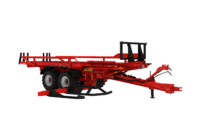
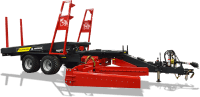
You will still be able to run the Stackpro through the manual mode, but you wont be able to run it in automatic mode.
The highest temperature registered in hot conditions (40C (104F) outside temperature on a sunny day) was 79C (174F) in the oil tank so you should not have this oil heating issue.
If your oil is too hot, stop the machine for a moment to let the oil cool down.
If the oil is not hot, and you have this error, it looks like the oil temperature sensor is defective.
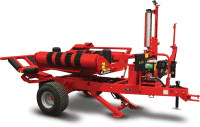
Click on picture below to locate your sensor.

Then, click on setting menu (bottom left button with a GEAR), then click on diagnostic button (2nd button from the bottom right corner, going up)
Then click on “ANALOG INPUT”. You will see the parameter “oil temperature” and you should have a “pretty stable value” showing up there. If the value is NUL or is jumping up and down erratically, your sensor is defective and needs to be replaced before you’re allowed to work again.